Ink Hammer: the D&D battle map maker for maps ready to play.
Ink Hammer is a desktop battle map maker for D&D and other tabletop RPGs. Draw rooms and the walls build themselves. Paint ground, water and fire, light the scene with real shadows, then export a finished battle map with the walls, doors and windows your virtual tabletop already understands.
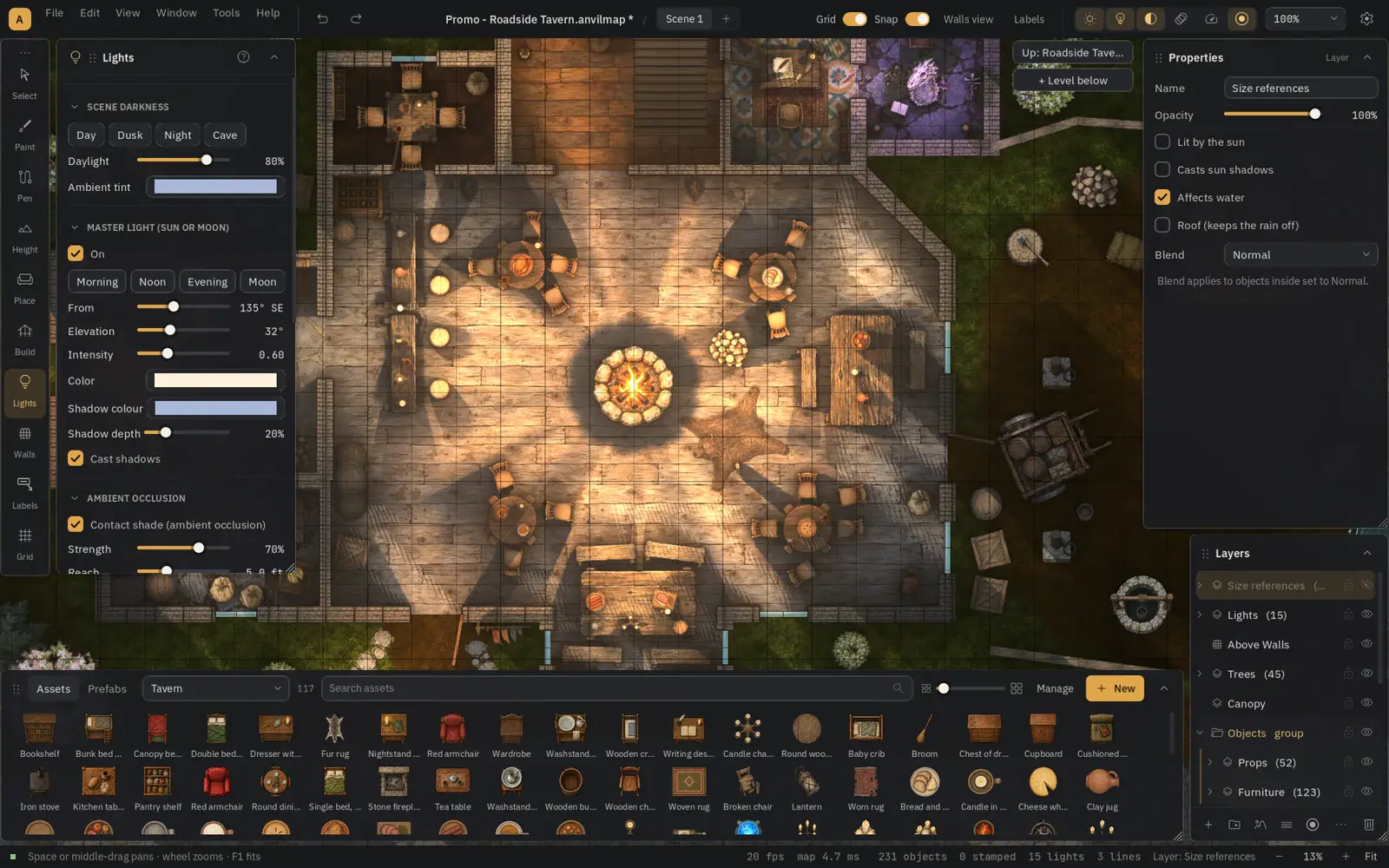
Draft it. Refine it. Play it.
Ink Hammer is a mix of AI speed and human control. Start from a blank grid, or let your own AI assistant rough out a first draft. Either way, you shape every wall, prop and light by hand until it matches the scene in your head.
Draft
Lay out rooms, paths and terrain in minutes. Or connect your own AI assistant, describe the map you want, and get a rough first draft to shape by hand.
Refine
Everything stays editable. Move a door, bend a river, swap a floor, add a torch. Every change can be undone, and autosave keeps your work safe.
Play
Export a clean image for print or screen, or a Universal VTT file with walls, doors and windows already in place. Drop it in and start the session.
Buy it once. Keep it forever.
Most battle map makers today live online. Your maps sit on someone else's server, the tool changes when they decide, and a subscription keeps the lights on. We think that's backwards. When you buy a program, it should be yours. The maps you make should be yours. How you use them should be up to you.
So Ink Hammer is a desktop app. You buy it, you download it, and it runs on your own computer. Your maps are plain files on your own drive, ready to back up, share or keep private, however you like.
There are a few other desktop map editors out there, and we used them. Each one left us working around something: lighting that stopped short, no flowing water, buildings drawn wall by wall, exports that needed fixing before game night. So we built the one we wanted, with all of it in one place.
What that means for you
- One-time purchase. No subscription.
- No cloud account and nothing to log in to.
- Your maps are files you own, saved in an open, readable format.
- Runs on your computer, on your schedule, even years from now.
- Sell your maps or give them away, including maps made with the included assets.
- Updates to your version are free, and the app you buy never loses features.
Everything a battle map maker needs, in one tool
Ink Hammer is a battle map maker built by a working TTRPG publisher to make the maps our own adventures need. Here is what it can do today.
Buildings that build themselves
Draw a room and Ink Hammer adds the walls, floor and ink lines. Split and merge rooms, hang doors with real swing angles, and set stairs to the exact number of steps.
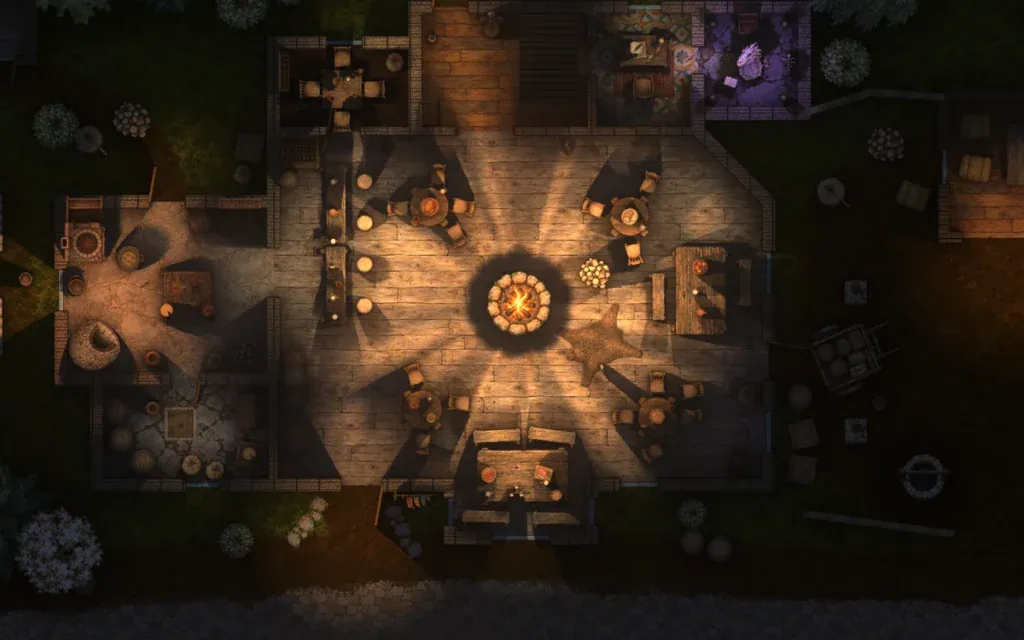
Real light and shadow
Torches, candles, braziers, moonlight and sun. Props, walls and cliffs cast shadows with true height, and light bounces softly off lit surfaces.
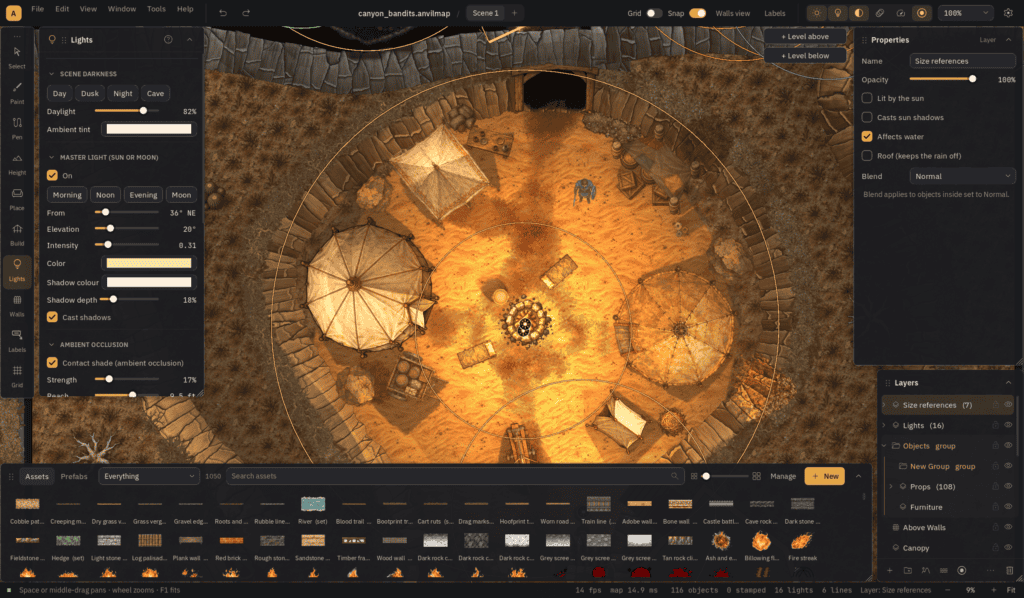
Light controls
Start from a preset like torch, brazier or moonlight, then drag handles for reach, falloff and aim. Set the sun or moon angle and every shadow follows.
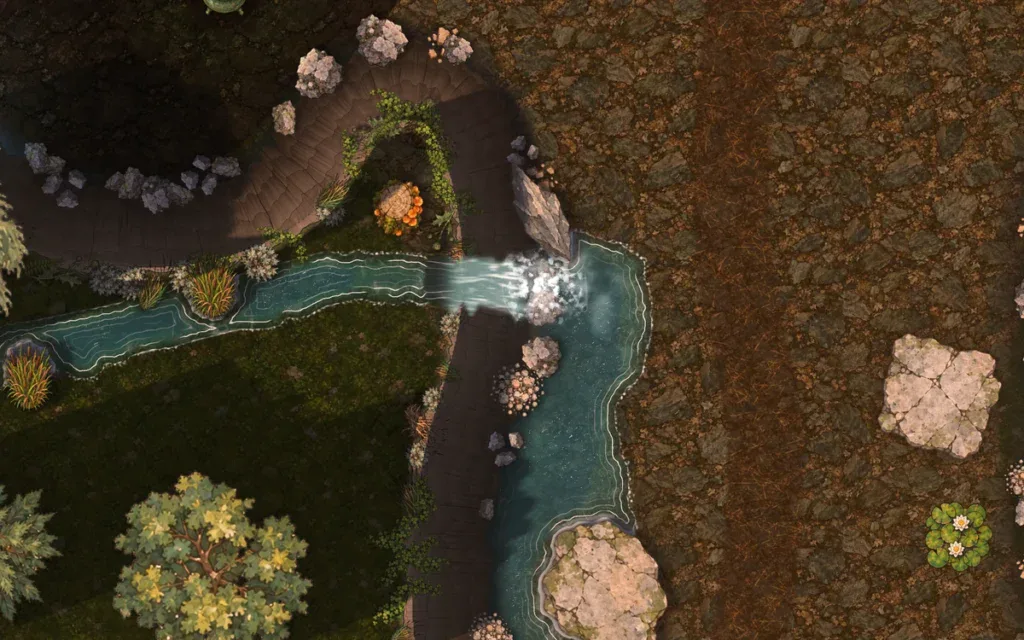
Water, fire and rain
Paint water by depth and it flows around rocks with foam and ripples. Add waterfalls, anything from embers to an inferno with scorch and smoke, or a storm with puddles.
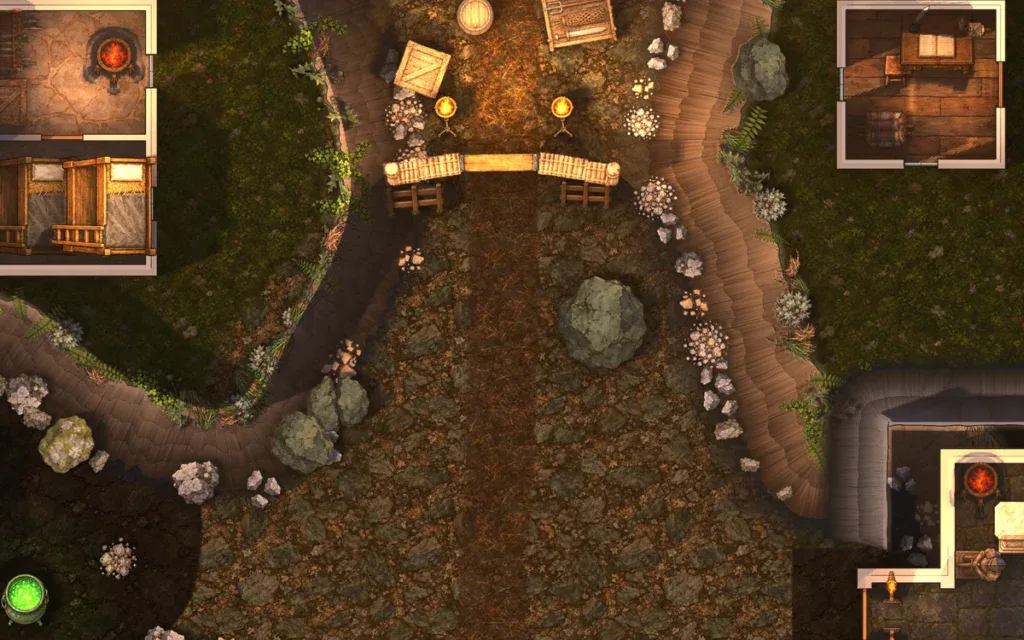
Terrain and cliffs
Raise hills, carve pits and draw cliff lines with layered rock, ledges and cast shadows. Scatter rubble along the foot and grass along the top.
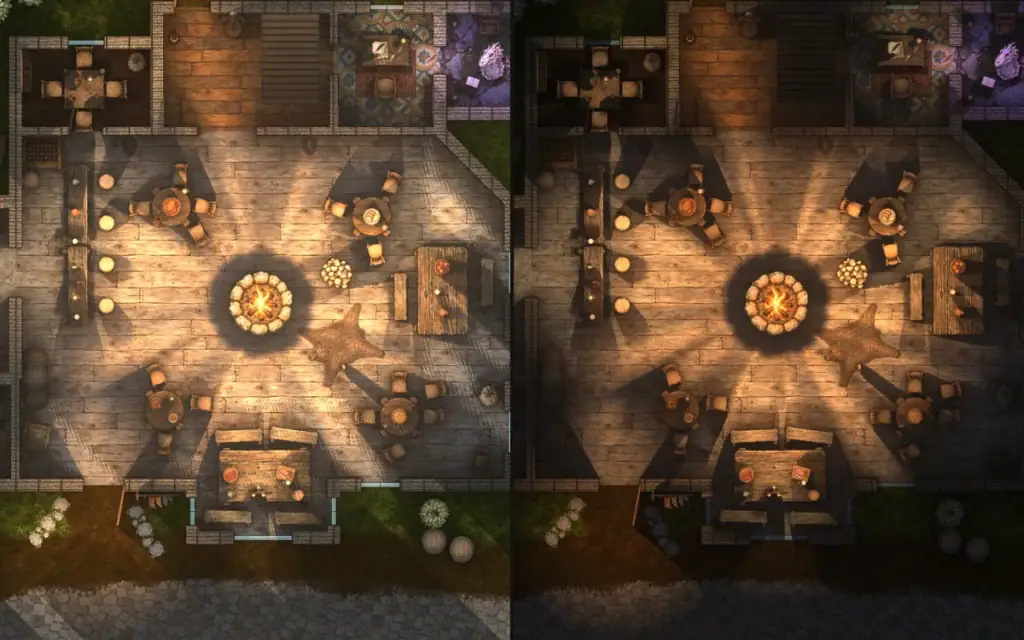
Scenes, levels and linked maps
Make day and night versions of one map, stack floors above and below, and grow a region map by map with edges that stay in sync.
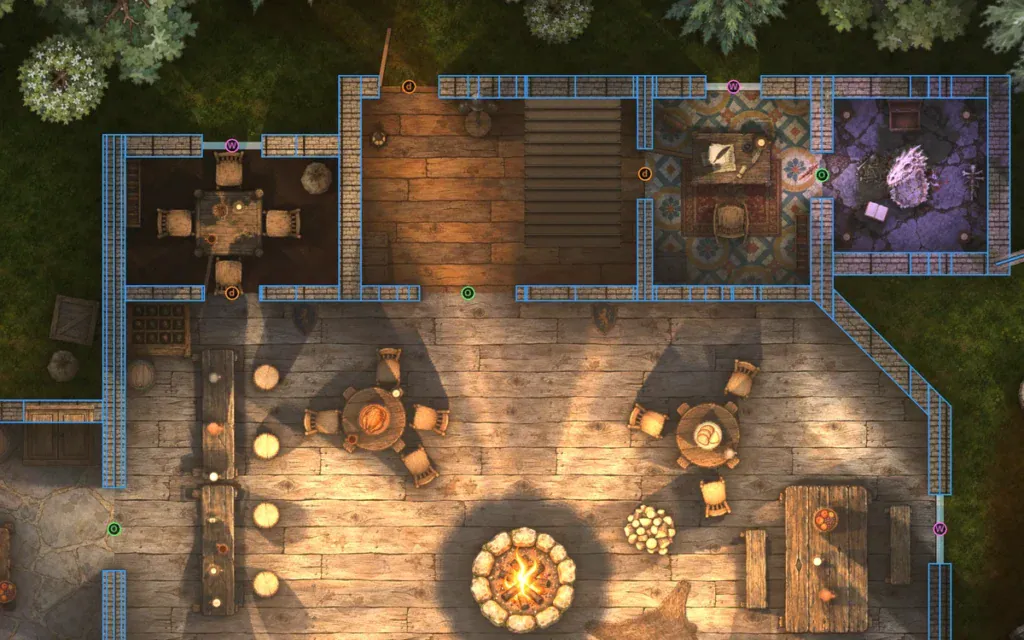
Walls and doors your VTT reads
Doors, windows, secret doors and portcullises snap to walls and cut their own openings. The Walls view shows exactly what your tabletop will get.
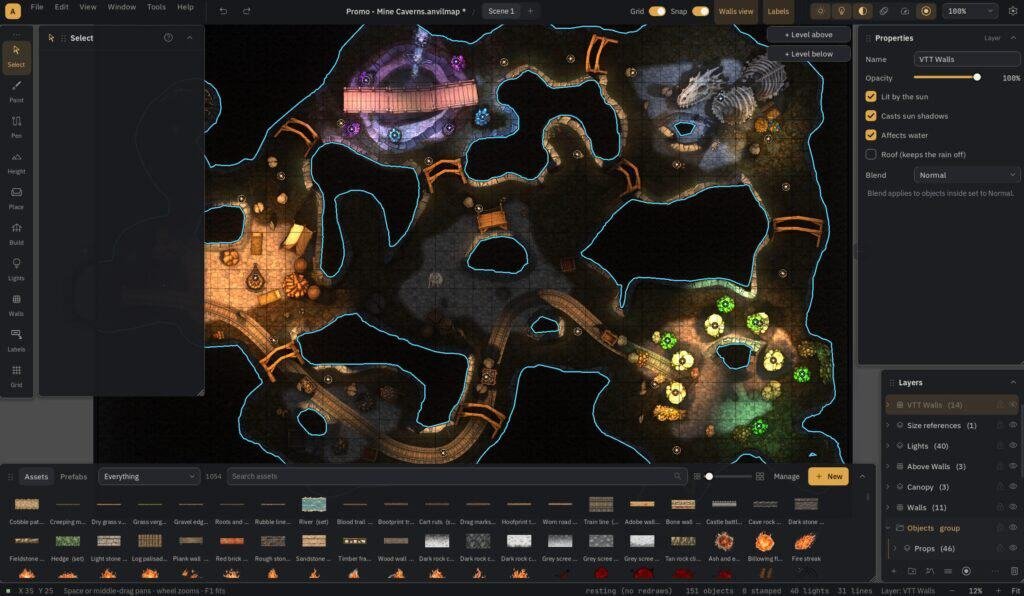
Auto VTT walls
Select part of your map and Ink Hammer traces the VTT walls around it for you. Fine-tune any segment by hand, then export with walls, doors and windows in place.
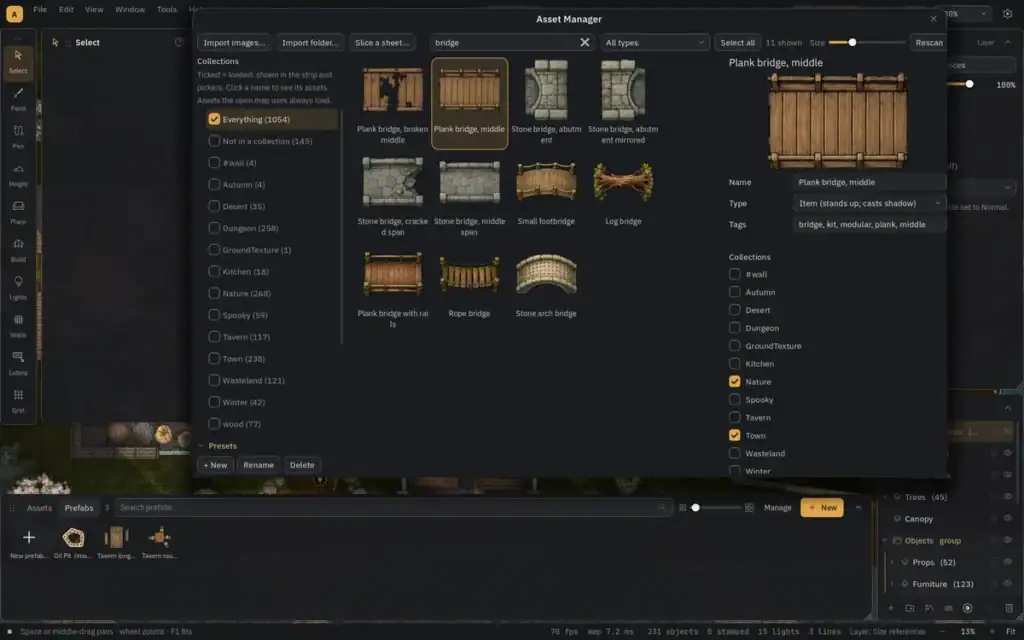
Your art, organized
Import folders of PNG, WebP or JPG art, then tag, search and crop it. Slice sprite sheets into separate assets automatically and set heights so every prop casts the right shadow.
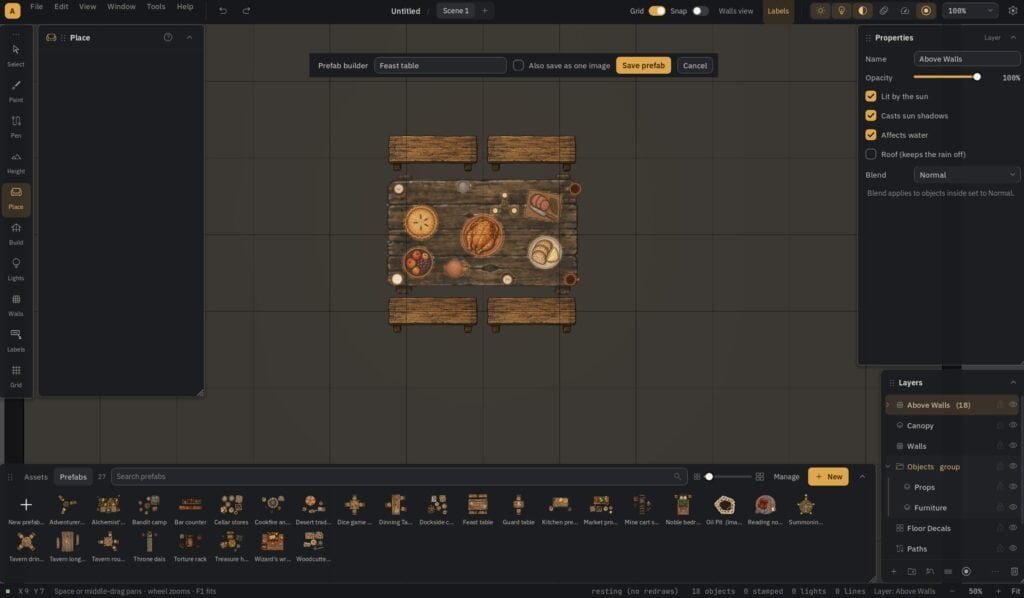
Prefabs
Save a loaded cart, a market stall or a whole campsite as one reusable piece. Place it with a click, then link, move or reshape the group as one.
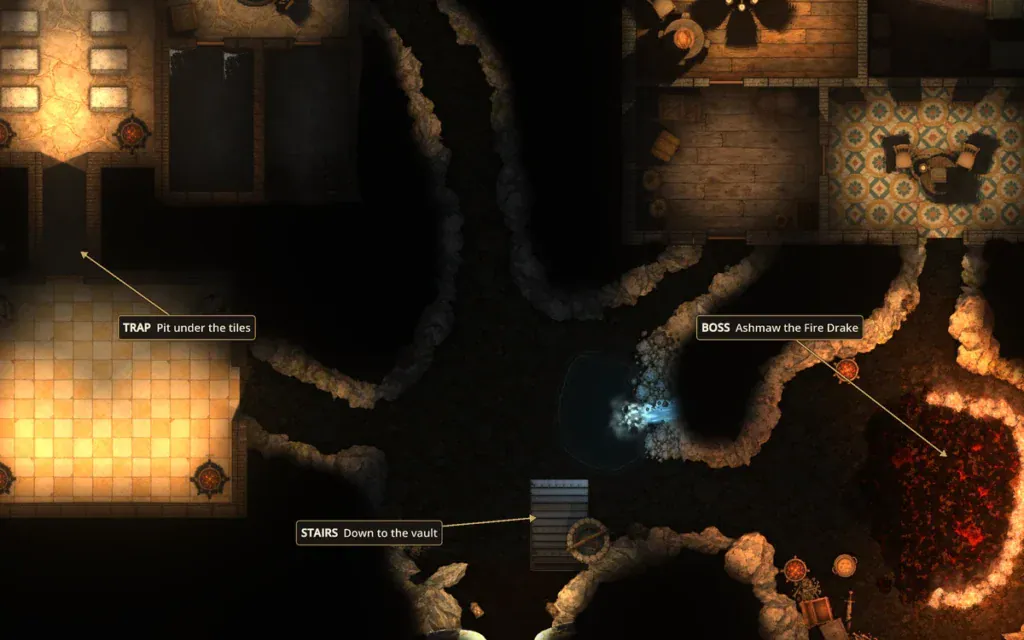
Notes for the DM
Pin labels with arrows over anything: the trap, the boss, the stairs down. One switch hides them all for a clean player map.
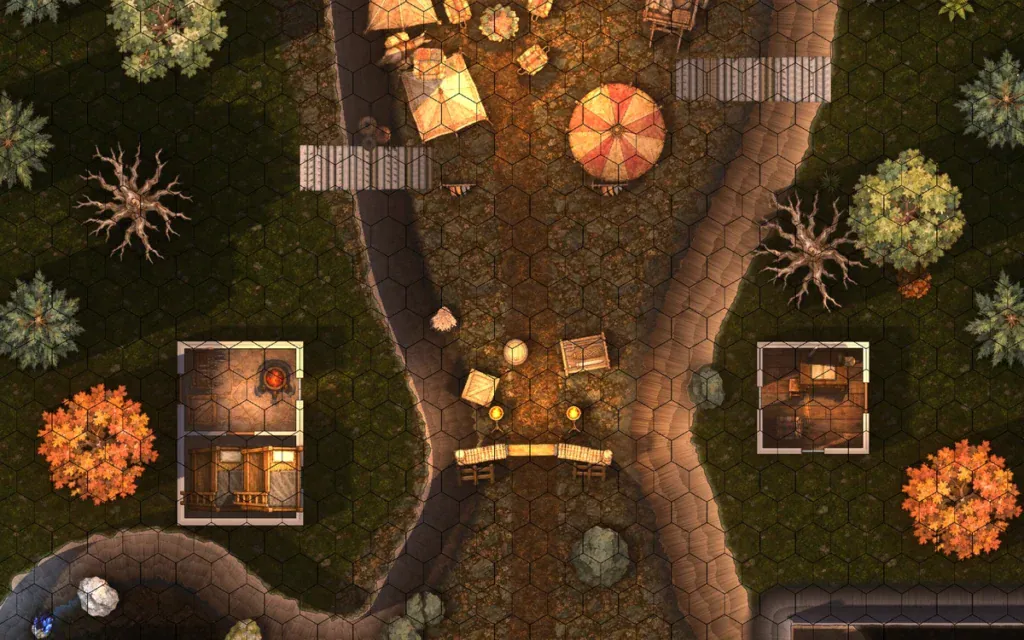
Square or hex
Square, pointy hex and flat hex grids with smart snapping, plus a guide grid you can turn to line up angled buildings.
Made in Ink Hammer
Four maps ship with Ink Hammer. Open them, pull them apart, and see how they were built. These are straight exports from the app.
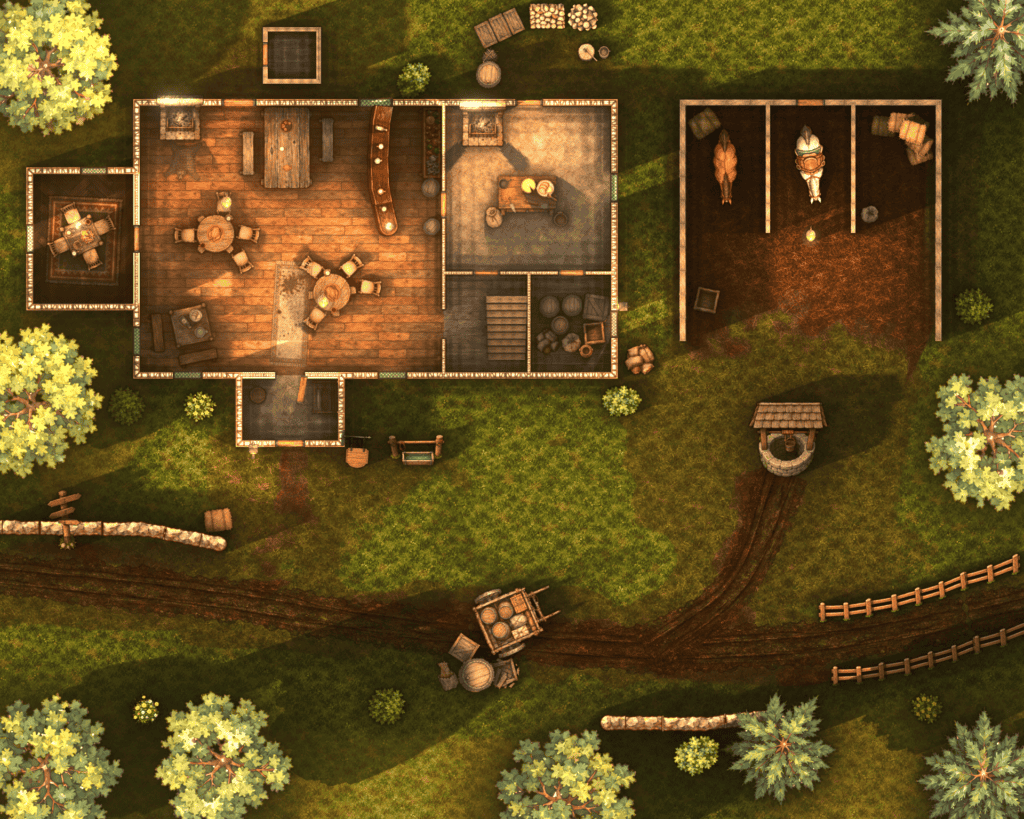
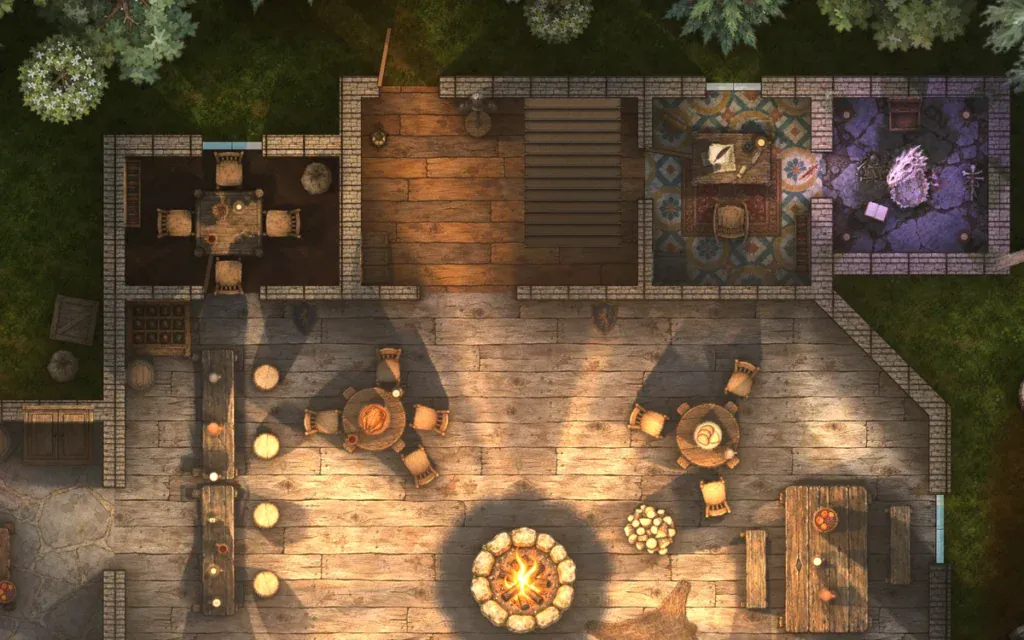
Roadside Tavern: ground floor
A lit roadside inn with a stable yard, cart and campfire. Linked to its upper floor.
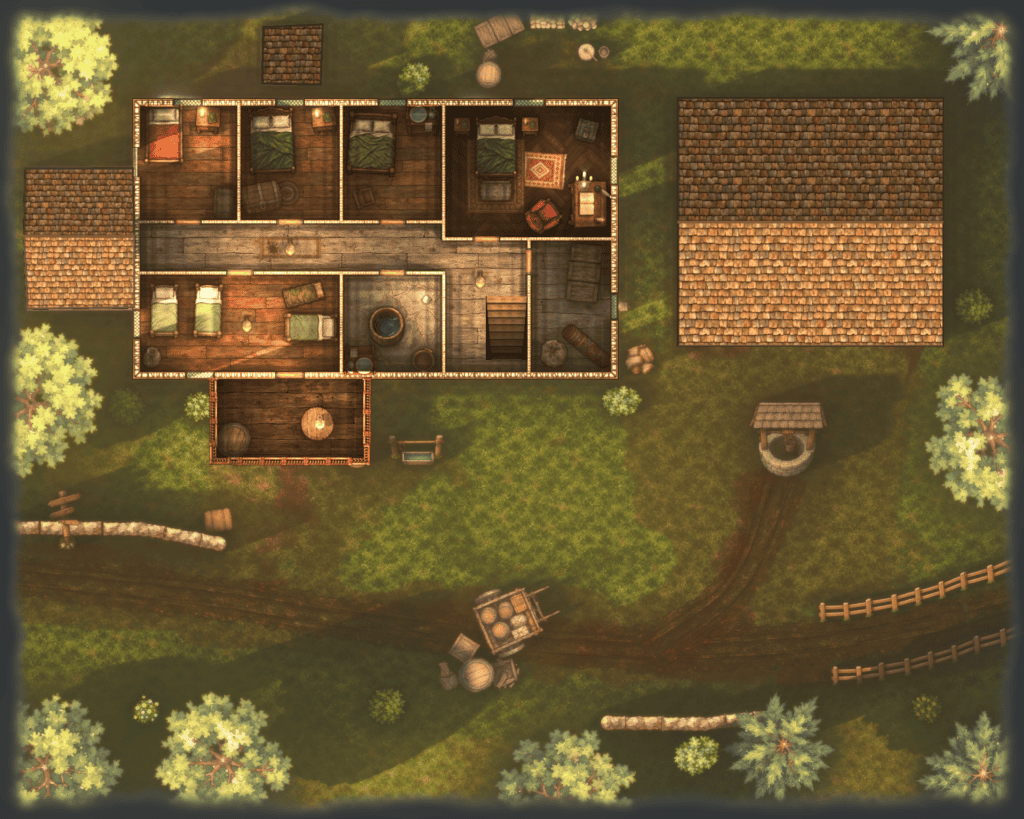
Roadside Tavern: upper floor
The rooms upstairs, on a linked level that opens with the ground floor as one map set.
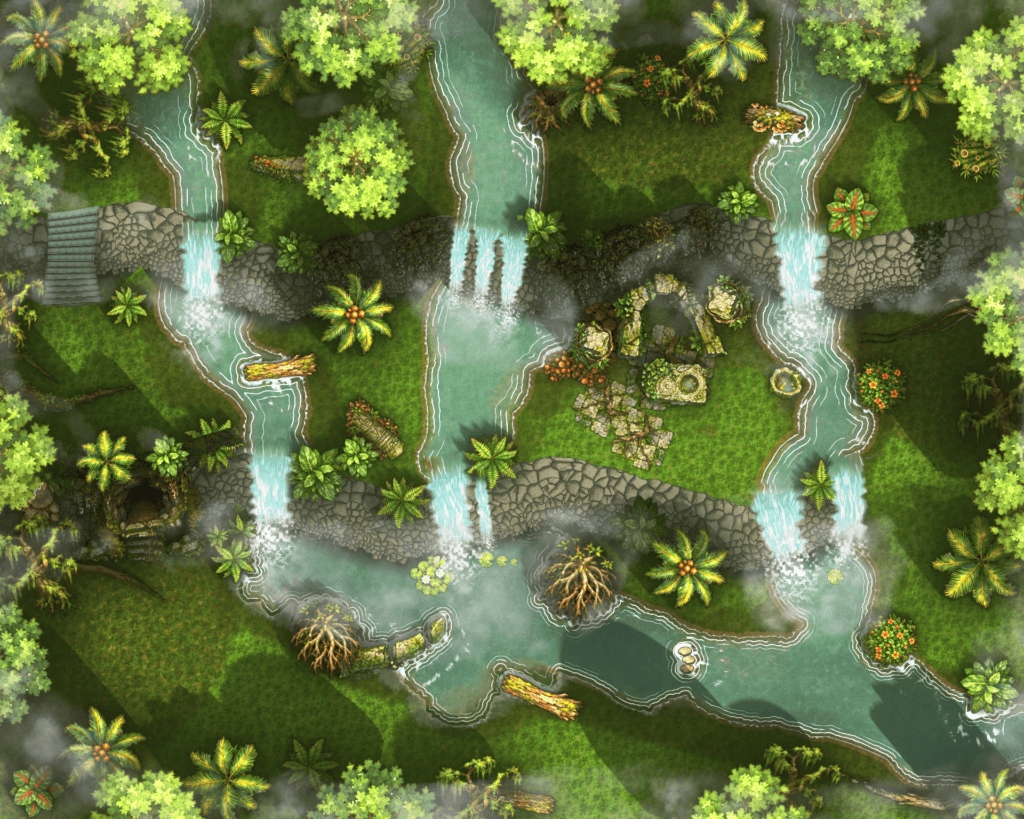
Jungle of Falls
Cliffs, plunge pools and waterfalls that form over the edges on their own.
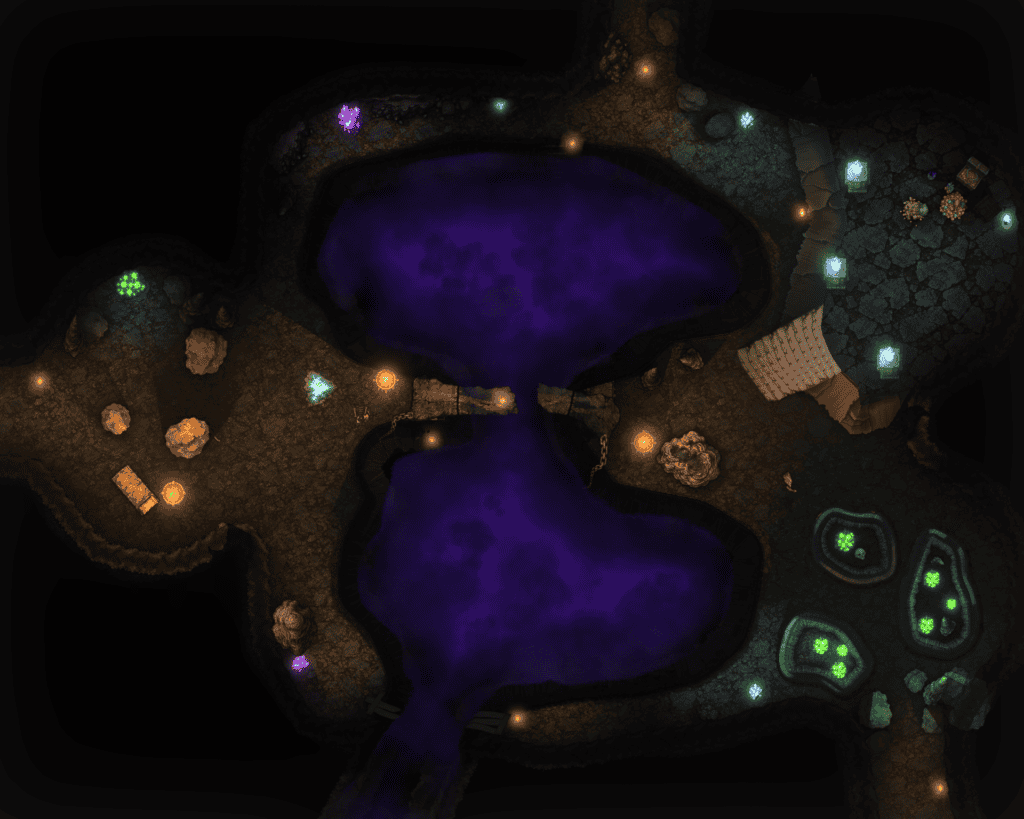
The Endless Chasm
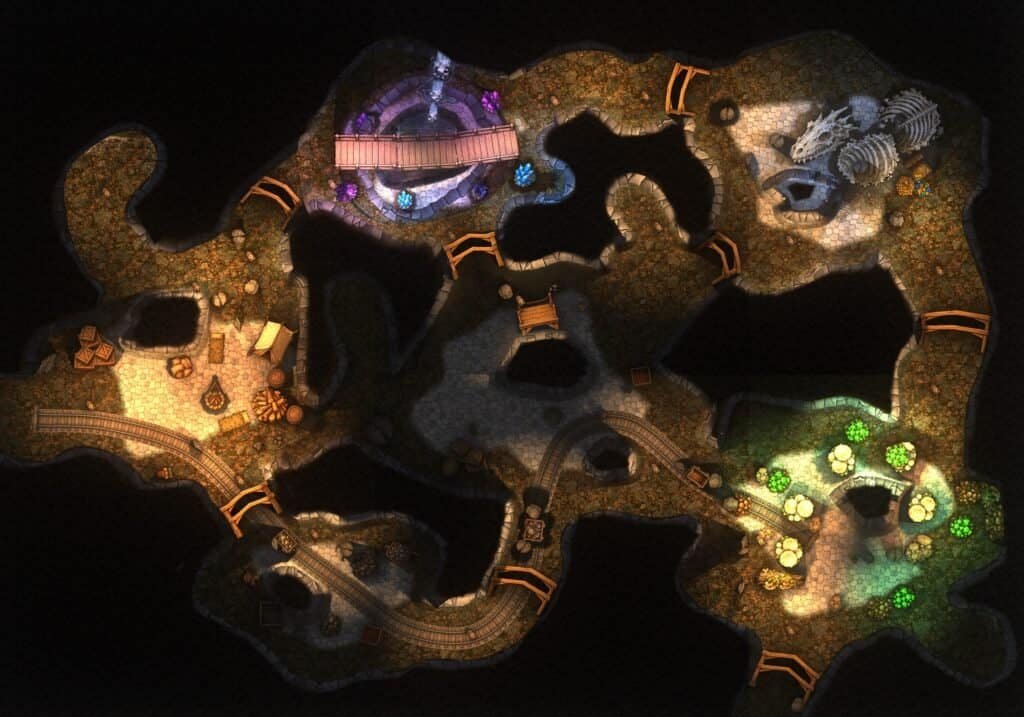
A bottomless chasm with layered rock walls, ledges and deep shadow.
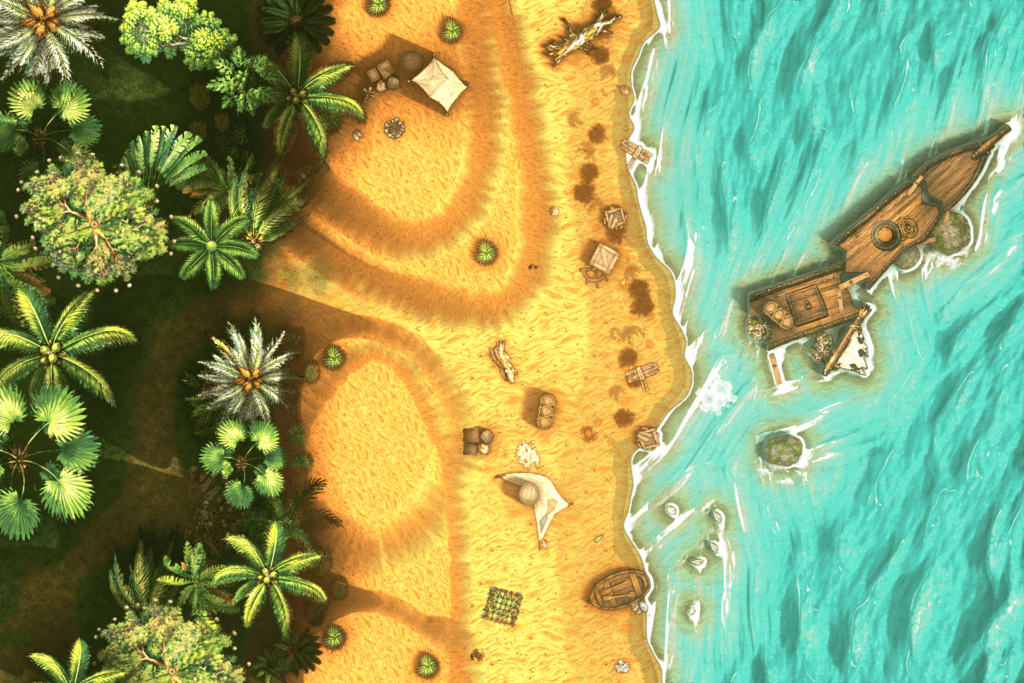
Shipwreck Beach
Ocean, surf and coastline from the Ocean and coast plugin, with a wreck on the sand.
What's in the download
- Ink Hammer for Windows. No installer, runs from its own folder.
- The Anvil Pack: about 1,600 assets, from barrels to cliff faces.
- 6 official plugins: Waterfall, Fire, Rain, VTT walls, Ocean and coast, Rocks and outcrops.
- 4 sample maps, including the ones on this page.
- The full user guide, built in.
- Every update through 1.0.
Bring your own AI. Keep full control.
Ink Hammer does not include AI or sell AI credits. If you already use an AI assistant, you can connect it to Ink Hammer and have it sketch a first pass from your own description. Then you take over: the AI lays down a rough draft, and you decide what stays, what moves and how it looks.
- Bring your own AI. You connect your own assistant and account, and no AI credits are included or needed.
- Everything stays editable. Anything the AI places can be moved, restyled or deleted, with full undo.
- Off by default. Nothing connects until you switch it on.
- Works with the Claude desktop app on a plan that supports connectors, through the open MCP standard.
From your screen to the table
Ink Hammer exports at any size and keeps the structure your tabletop needs, so walls block sight and doors open from the first session.
- Universal VTT (.dd2vtt) files with walls, doors and windows included
- Gridless and gridded WebP, Roll20 JPG and a full-size master PNG
- Every scene and every linked map in one run
- A warnings report for wall gaps and doors off walls before you upload
- Package a map with all its art to open on another computer
Get in early. Get 1.0 included.
Ink Hammer is in Early Access. Buy now at $19.99 and you get every update, including the full 1.0 release, at no extra cost. The price goes up when 1.0 launches. Until then, our Discord is where you help decide what gets built next.
Early Access $19.99 · Price goes up at 1.0 · Version 1.0 included
Good to know before you buy
- Windows only. Built and tested on Windows 10 and 11 (64-bit). There is no Mac or Linux version, and it is not tested anywhere else.
- You need a DirectX 12 graphics card. A dedicated card is smoothest; laptops with built-in graphics can use Fast editing.
- It runs as an .exe file. There is no installer: unzip the folder and run Ink Hammer.exe. The beta is not code-signed yet, so Windows shows “Windows protected your PC” the first time. Click More info, then Run anyway.
- No built-in tutorial yet, but four sample maps and a full user guide come in the download.
- It’s a beta, so expect rough edges and keep backups. Report bugs on Discord and we fix them in the open.
Learn to make better battle maps
Free guides from the team behind Ink Hammer, whichever battle map maker you use. Start with how to make D&D battle maps.
Ink Hammer FAQ
What is Ink Hammer?
Ink Hammer is a desktop battle map maker for D&D and other tabletop RPGs, made by Anvil N Ink. You build maps from terrain, cliffs, water, buildings and lights, then export them as images or as Universal VTT files with walls, doors and windows included.
Do I need AI to use it?
No. Every feature works by hand. Ink Hammer does not include AI or AI credits. If you want AI drafting, you can connect the Claude desktop app (on a plan that supports connectors) through the built-in connector, which uses the open MCP standard. It stays off until you turn it on.
Is the included art AI-generated?
Yes. The Anvil Pack, about 1,600 assets, was made by Anvil N Ink using AI image generation, then selected and edited by hand. Ink Hammer works with any art you import, so you can use your own assets instead.
Why does Windows warn me when I start it?
Ink Hammer runs as an .exe file with no installer, and the beta is not code-signed yet. Windows shows “Windows protected your PC” the first time. Click More info, then Run anyway. You only need to do this once. Only run a copy downloaded from our official store pages.
Will the price change?
Yes. Ink Hammer is $19.99 during Early Access, and the price goes up when version 1.0 launches. Early Access buyers get 1.0 included at no extra cost.
Can I sell the maps I make?
Yes. Maps you make in Ink Hammer are yours to sell or give away, including maps that use the assets included with the app. The one limit is the asset files themselves: they can’t be redistributed or sold on their own, for example as an asset pack.
Will I have to pay for updates?
Not for your version. Every update within your version is free, including the move from Early Access to 1.0. Later on we may offer optional paid add-ons, such as extra asset packs, and a future major version (2.0) may be a paid upgrade with a discount for existing owners. Whatever you buy keeps working.
Can I get a refund?
If Ink Hammer won’t run on your computer, tell us within 14 days of buying it and we will refund you. Store refund policies and your local consumer laws still apply where they give you more.
Is it online or in the cloud?
No. Ink Hammer is a desktop app you download and keep. There is no cloud account and no subscription, and your maps are files on your own drive. Only the optional AI connection talks to the internet.
Which virtual tabletops does it work with?
Image exports work anywhere, including Roll20 sizes. The Universal VTT (.dd2vtt) export carries walls, doors and windows into any VTT that imports that format.
Does it run on Mac or Linux?
No. Ink Hammer is built and tested on Windows 10 and 11 only. Mac support is on the list, and our Discord is the first place we will announce it.
Can I use my own art and assets?
Yes. Import folders of PNG, WebP or JPG art. Ink Hammer copies them into its library, leaves your originals untouched, and lets you tag, search, crop and set heights for shadows.
Where can I buy it?
Ink Hammer is $19.99 in Early Access on the Anvil N Ink store on Payhip. It is also on itch.io, and Steam will follow later.
Build it with us
Follow development, share your maps, report bugs and vote on what Ink Hammer does next. It all happens on the Anvil N Ink Discord.